
linux
This is an old revision of the document!
Table of Contents
Linux - Additional Tricks and Tips
WINE
- Not the drinking kind…
Comports setting Method 1 (regedit)
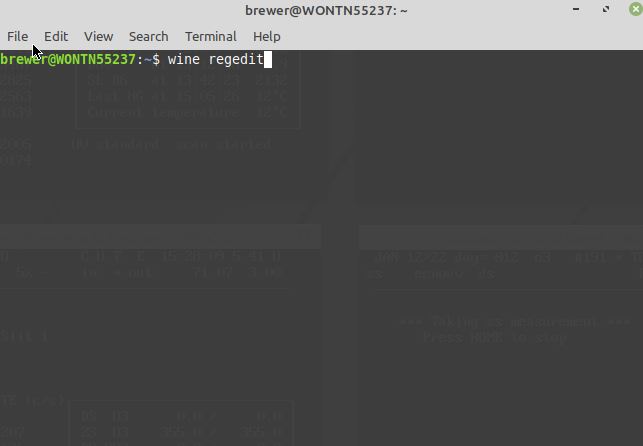
- Go to regedit via
- Terminal
wine regedit
Navigate to /HKEY_Local_Machine/Software/Wine/Ports and add a new string called com1.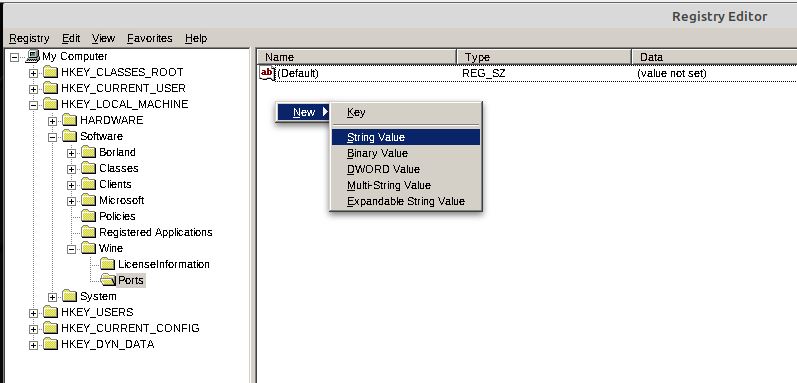
Set the data to the comport (I.E. /dev/ttyUSB0)
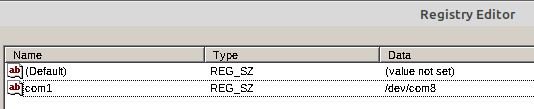


Comports setting Method 2 (terminal)
run the following command in terminal
- sh
sudo rm ~/.wine/dosdevices/com1 && sudo ln -s /dev/com6 ~/.wine/dosdevices/com1
Ensure you replace com6 with what ever com port you want to use (com7, ttyUSB0 and etc)
None of the windows/notepads are responding
Sometimes Gnome (desktop interface) has some issue, simply go and restart gnome by doing the following
On the desktop, press Alt + F2. A text box will pop up, type R and press Enter Gnome will then restart and things should work again.
linux.1642002827.txt.gz · Last modified: 2022/01/12 15:53 by reno